


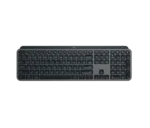
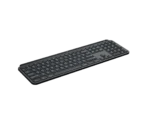
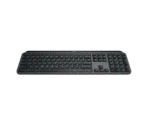




Logitech MX Keys S for Mac Wireless Bluetooth Backlit Keyboard (Graphite)
KSh 14,500.00

- Mastered for Mac: With a Mac key layout and matching Apple finishes, Logi Options plus functions for macOS (1), USB C charging, Logitech MX Keys S for Mac makes for a perfect fit with your Apple setup
- Logitech MX Keys S for Mac Wireless Bluetooth Backlit Keyboard (Graphite)
- Fluid Typing Experience: A laptop-like profile with spherically dished keys shaped for your fingertips; experience fast, fluid, and precise typing on this wireless bluetooth keyboard for Mac
- Automate Repetitive Tasks with Logitech Keyboard: Easily create and share time-saving Smart Actions shortcuts to perform multiple actions with a single keystroke with the Logi Options plus app (1)
- Smarter Illumination: Keys on this backlit keyboard light up as your hands approach and adapt to the environment; now with more lighting customizations on Logi Options plus (1)
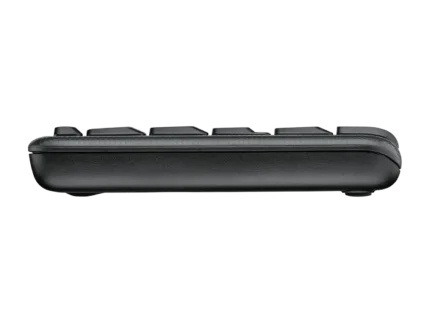
- More Comfort, Deeper Focus: Work comfortably for longer with a low-profile design and an optimum keyboard angle that is better for your wrist posture
- Connect To Multiple Apple Devices: Work seamlessly on up to 3 devices on macOS, iPadOS, iOS via Bluetooth Low Energy (2)
- Team With MX Master 3S For Mac: Pair any MX for Mac wireless keyboard and mouse with Logi Options plus (1) and seamlessly work, transfer text and files between 3 Apple computers

FLUID TYPING EXPERIENCE
Type with confidence and speed with spherically-dished keys shaped for your fingertips, minimizing the chances of a mistype, while increased key stability reduces noise.

AUTOMATE REPETITIVE TASKS
Smart Actions on the Logi Options+ app allows you to skip repetitive actions by automating multiple tasks with a single keystroke. Requires Logi Options+ app, available for Windows and macOS.

MX + CREATIVE CLOUD
Get a complimentary 1-month Adobe Creative Cloud subscription with the purchase of MX Keys S.

CONNECT WITH UP TO 3 DEVICES
Easily switch between up to 3 devices at the push of a button. Compatible with Windows, macOS, Chrome OS, Linux, iPadOS.

MULTI-COMPUTER, ONE FLOW
Enable Flow with MX Master 3S to work on multiple computers and cross-OS – transfer text, images and files between them – just copy on one, paste to the other. Requires Logi Options+ app, available for Windows and macOS.

SMART ILLUMINATION MADE SMARTER
Backlit keys light up when your hands approach the keyboard and automatically brighten or fade to suit your environment. Control backlighting duration and brightness in Logi Options+. Requires Logi Options+ app, available for Windows and macOS.

ERGONOMIC DESIGN
The low-profile design & optimum angle for a natural wrist position, provides effortless precision and longer hours of typing comfort.

USB-C QUICK CHARGING
Stays powered for up to 10 days on a full charge. Charge while you work using the included USB-C charging cable.

WIRELESS CONNECTIVITY
Seamless wireless connection via Bluetooth Low Energy or the included Logi Bolt receiver. The keyboard is not compatible with other Logitech USB receivers.


BE MORE PRODUCTIVE WITH MX MASTER 3S
For ultra fast precise MagSpeed scrolling, Quiet Clicks, 8K DPI track-on-glass(6) sensor, and a Graphite or Pale Grey finish.


Brand
Logitech






Reviews
There are no reviews yet.